Individual or High-Volume Document? Why Accessible PDFs Aren’t Created the Same Way

An annual report and a payslip don’t seem to have much in common at first glance. And yet both are PDFs, and both need to be accessible. The requirements for the result are identical, but the path to get there is completely different. If you don’t know the difference, it’s easy to choose the wrong tool.
Volume Is Not the Deciding Factor
200 individually written expert reports are a lot of documents, but they are still individual documents. An invoice template that generates 50,000 PDFs every month, on the other hand, is a classic case of high-volume documents. So what matters is not the number of documents, but one question: Is there a person sitting in front of the document while it’s being created?
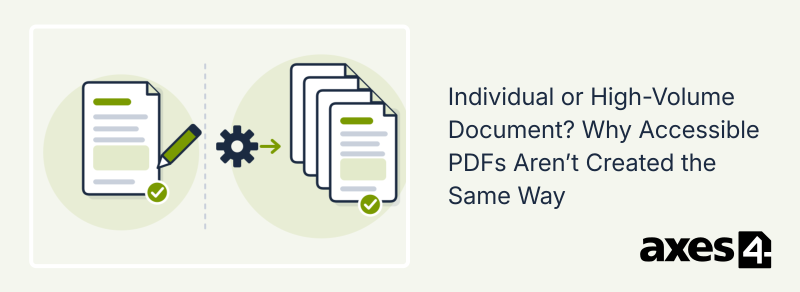
- Individual documents are created by people in an authoring application such as Word or PowerPoint. Each one is unique.
- High-volume documents are generated automatically by a system from data and a template. Nobody opens each individual document.
| Individual documents | High-volume documents | |
|---|---|---|
| Examples | Reports, presentations, brochures | Invoices, official notices, payslips |
| Where accessibility is created | During writing and export | Once, in the template |
| Responsibility | The authors | IT and process owners |
| Quality assurance | Per document | Per template |
| Prerequisite | Consistent use of styles and alternative text | Fixed rules with no deviations from the template |
Individual Documents: Accessibility Starts With Writing
For individual documents, the structure is created in the authoring application. Working with styles in Word and adding alternative text lays the foundation. With axesWord, this becomes a PDF that complies with PDF/UA and WCAG on export. Since axesWord 26.1, you can even check accessibility directly in Word. If all you have is the PDF, axesPDF helps with remediation.
High-Volume Documents: Define Once, Apply Thousands of Times
For high-volume documents from automated systems, accessibility has to be defined once in a template that determines which content has which meaning. Every generated document then follows the same rules.
This is exactly what axesFlip is for. axesFlip makes large volumes of PDFs accessible automatically and fits into existing document processes without the need to modify the systems that generate them. Based on templates, axesFlip adds the necessary structure and reliably implements PDF/UA, even for complex documents, as long as they follow consistent rules. Once set up, the process scales to any volume.
The Prerequisite: Fixed Rules, No Surprises
A template only works if all the documents it processes follow clear and strict rules, without exception. This doesn’t mean every document has to look the same. Content can be dynamic and shift around. A notice might have three paragraphs one time and ten the next, and the paragraphs can vary in length. A table might have five rows or fifty, and a different number of columns. What matters is that the framework within which these variations occur is clearly defined.
Anything outside this framework cannot be reliably classified by the template. This includes fonts, font sizes or colors that the template doesn’t account for. They can cause content to be tagged incorrectly or not at all. Images are particularly tricky: an image the template doesn’t recognize has no alternative text assigned to it. That text then has to be checked and added manually, which is exactly the effort automation is meant to avoid.
That’s why axesFlip is designed for documents that are generated entirely by a system. As soon as people make changes to individual documents afterwards, such as highlighting something in color, inserting a graphic or choosing a different font, deviations arise that the template isn’t prepared for.
Gray Areas
- Recurring reports often follow the same structure but contain individual text. They remain individual documents.
- Mail merges are created in an authoring application but produce many identically structured documents. For large volumes, switching to axesFlip pays off.
- Forms are individual documents if they are designed once, and high-volume documents if a system fills them with data and sends them out.
Conclusion
Most organizations have both types of documents. A quick inventory shows which approach fits where. These questions can help:
- Who creates the document? If a person writes it, it’s an individual document. If a system generates it from data and a template, it’s a high-volume document.
- Do the documents follow fixed rules? For high-volume documents, content may vary, for example in the number of paragraphs or the length of tables. But fonts, colors, images and the basic structure must always match what the template specifies.
- How many documents are created? The larger the volume, the more worthwhile it is to set up a template with axesFlip.
- Who is responsible? For individual documents, accessibility lies with the authors. For high-volume documents, it lies with IT and process owners.
This often reveals that high-volume documents account for the largest volume and therefore offer the greatest leverage. With axesFlip, accessibility becomes an integral part of document creation there: automated, scalable and standards-compliant, as long as the documents follow the rules defined in the template.