New Accessibility Checker in axesWord: Check key accessibility aspects right in your Word document

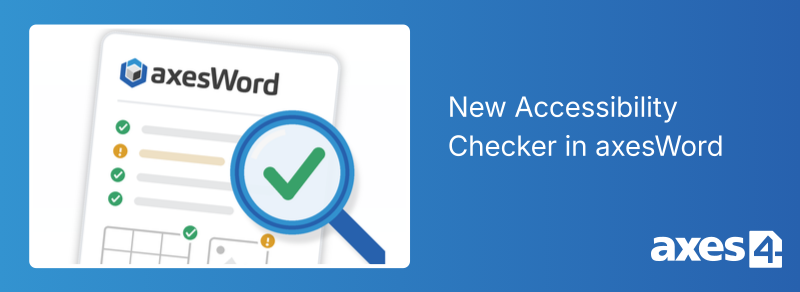
Check accessibility during creation: With axesWord 26.1.0, an accessibility checker integrated into axesWord is available for the first time. The new feature helps users verify key aspects of an accessible PDF document while it is being created. The first version of the new feature is available and is undergoing continuous development.
Check accessibility during document creation
The new accessibility checker is integrated directly into axesWord. This allows you to check your document without first having to create a PDF or open a separate checking tool.
You can choose which section you want to check:
- the entire document
- a specific range of pages
- the current selection
The check also takes into account axesWord settings such as role assignments and paragraph format roles.
This allows you to incorporate accessibility considerations step by step as you create your document. Immediate feedback on potential issues
Immediate feedback on potential issues
The check provides you with immediate feedback on any issues found. Depending on the check, the results are displayed as errors or warnings. The results are presented clearly and help you quickly identify potential problems and address them specifically. If you’re already familiar with PAC, you’ll quickly find your way around the check in axesWord. The check follows a similar structure and allows you to review individual results in detail.
Which areas are checked?
The first version of the accessibility check covers several key areas of a Word document.
Metadata
- whether a document title has been specified
- whether the document's primary language has been specified
Headings
- whether headings are present
- whether the first heading has been set as a first-level heading
- whether heading levels have been skipped
Illustrations
- whether alternative texts are available
- whether the “decorative” label and a role assignment are used simultaneously
Tables
- whether table headers are present
- whether the tables are regular
Forms
- whether a name has been specified for a form field
- whether a tooltip has been specified
- whether form fields have been anchored in headings
- whether a form field label is found in the search direction
- whether a radio button group consists of more than one member
- whether a drop-down list consists of more than one entry
- whether a list box consists of more than one entry
Everything in One Tool
Many documents are created directly in Microsoft Word. With axesWord, you can now not only create accessible documents but also check them directly within the same application.
For the first time, creation and checking are integrated into a seamless workflow. You don’t have to switch between different applications or first transfer your document to another tool, such as PAC, for checking. axesWord guides you through the entire process, from creation to checking to revision.
That way, everything stays right where your document is created: in Word and in a single tool.
Try axesWord 26.1.0 now
The new version is available now and will continue to be developed. In addition to the new accessibility check, axesWord 26.1.0 includes further improvements, including enhanced support for tab stops.